
Your lack of creativity is poverty of reference: 50 sites to study
Your problem isn't lack of creativity, it's poverty of reference. 50 sites to study people who execute design better than most.
Neste artigo
- Real screens from apps and products
- Site curation and art direction
- Components and effects for anyone who also codes
- Typography that isn't everyone's default
- Generative visuals, for when obvious isn't enough
- Graphic and editorial design archives
- AI tools that already deliver almost finished work
- Reference doesn't replace direction
- Perguntas frequentes
Your problem isn't lack of creativity. It's poverty of reference.
Nobody writes well without reading a lot. Design works the same way. If you only look at the same place, you keep producing the same thing while thinking it's original. The fix isn't a course, it's a wider library of references.
I put together the 50 places I use to study people who execute better than me and you. Not to copy the result. To steal the direction.
Real screens from apps and products
Before designing anything, look at what already works in production.
- →Mobbin: thousands of real app screens organized by pattern. The biggest archive of its kind.
- →Supahero: hero sections only. When I'm out of ideas for a page opener, this is the first place I open.
- →Saaspo: SaaS landing pages that actually convert, not just look good.
- →GameUIDatabase: video game interfaces cataloged by genre. Great for escaping the standard SaaS look.
- →Interface in Game: game screens organized by element type, HUD, menu, inventory.
- →HUDs and GUIs: futuristic interface from film and games. Reference for when a project needs more attitude.
- →Loadmo.re: a collection of loading screens only. A detail nobody notices, and exactly what separates a cared-for product from a generic one.
Site curation and art direction
To understand where site execution is heading, not to copy the latest template.
- →Godly: a gallery of sites with strong art direction, demanding curation.
- →Awwwards: the best known award for heavy-execution sites. A good thermometer for what's top of market.
- →Cosmos: a visual moodboard that learns your taste and refines curation as you use it.
- →Curated.design: a site selection organized by category, good for focused research.
- →Design Spells: interface details cataloged one by one. Where microinteraction ideas are born.
- →60FPS: a gallery focused on interaction and well-made animation, not static screenshots.
- →Minimal Gallery: one minimalist site per day. Good antidote for anyone who overdoes composition.
- →MNMM: an archive of minimalist design, complements the previous one.
- →Seesaw: sites with real movement and experimentation, not afraid to break the grid.
- →Same Energy: visual search by image similarity. Type in a reference and it finds similar ones.
- →Spiral: a visual feed in a spiral for discovery, a different way to browse references.
- →Layers: portfolios from designers who don't post on social media. Where the good work hides.
- →Pinterest: the usual one. Still works, and it's a mistake to dismiss it just because it's obvious.
Components and effects for anyone who also codes
For anyone who builds the site, not just designs it, these shorten the path from concept to browser.
- →shadcn/ui: today's ecosystem standard for components. Worth knowing even if you don't use it directly.
- →21st.dev: ready-made React components in the same style as shadcn.
- →React Bits: a collection of React components and effects, good for quick ideas.
- →Fancy Components: components with animation that go beyond the obvious, for when the standard gets old.
- →Motion Primitives: ready-made animation primitives for React.
- →Component Gallery: component patterns with examples pulled from real products, not mockups.
- →Number Flow: numbers that animate through smooth transitions. Small, but you notice when it's missing.
- →Cursify: custom cursor effects, for when a project needs an extra touch.
- →Framer University: Framer resources and templates straight from the source.
Typography that isn't everyone's default
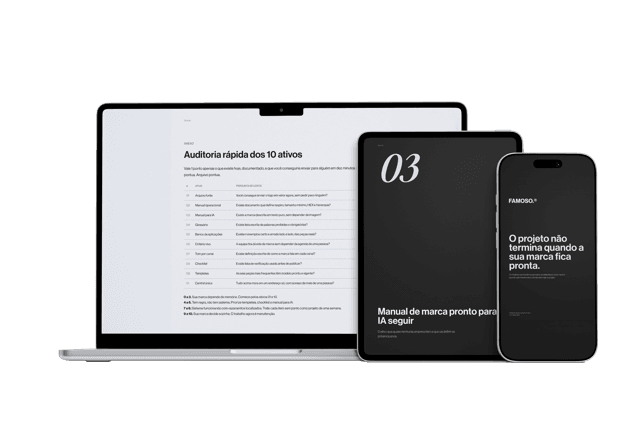
Material gratuito
E se a pessoa que criou sua marca sumisse amanhã?
Os 10 ativos que garantem que sua marca continue consistente, com ou sem quem a desenvolveu.
The wrong typeface costs more than it looks. These libraries skip the obvious choice.
- →Fontshare: free professional fonts, cleared for commercial use.
- →Uncut: a catalog of contemporary typography, well curated.
- →Free Faces: free type curation with personality, doesn't look like a system font.
- →Fonts in Use: an archive of typography used in real projects, shows the typeface actually working.
- →Best Free Fonts: free fonts filtered by quality, skips blind digging.
- →BeFonts: another free font library cleared for commercial use, well curated for anyone tired of Google Fonts.
Generative visuals, for when obvious isn't enough
For when the site needs something nobody else has.
- →Shadertoy: community shaders running live in the browser.
- →Unicorn Studio: web animation and effects without writing a line of code.
- →Cables.gl: node-based generative graphics, right in the browser.
- →Nodetoy: node-based shaders, exports ready for three.js.
- →Derivative / TouchDesigner: the standard for real-time generative visuals and installations.
- →Nodes.io: a visual environment for computational design.
- →Bitspace: a node editor for visual composition.
Graphic and editorial design archives
- →Search System: an archive of graphic and editorial design, good for anyone working print and digital.
- →Rebrand Gallery: brand rebrands with before and after, useful to argue the value of an identity change.
AI tools that already deliver almost finished work
They speed up execution. They don't replace judgment.
- →Stitch: generates interface screens from a text description.
- →Framer: sites published straight from the canvas, no dev needed to ship it.
- →Penpot: an open source alternative to Figma, no license cost.
- →Rive: interactive animation that runs in production, not just in a prototype.
- →Skills.sh: a directory of skills ready to plug into your AI agent.
- →Zed: a fast code editor with an AI agent running inside the editor itself.
- →v0: generates interfaces from text, straight into code.
Reference doesn't replace direction
A good tool doesn't decide what your brand looks like. That's positioning, and positioning comes before Figma opens. Reference just keeps you from reinventing something the market already solved better.
Perguntas frequentes
Is using design reference sites plagiarism?
No, as long as it's used to study patterns, direction and execution, not to copy the final result. Reference informs decisions. Copying is a shortcut that later shows up as a brand with no identity of its own.
Do I need to be a designer to use these tools?
No. Many of them, like Framer, Penpot, v0 and Stitch, were built for people who don't design but need to publish something with quality.
Which of these sites does FAMOSO use most day to day?
Mobbin for interface patterns, Awwwards and Godly for site art direction, and Fonts in Use for typography decisions. The rest gets used depending on the project.
Does having a lot of reference material fix a lack of brand positioning?
No. Reference improves execution, it doesn't replace strategy. A brand without clear positioning still looks good and still doesn't convert, because the problem was never visual.
Material gratuito
E se a pessoa que criou sua marca sumisse amanhã?
Os 10 ativos que garantem que sua marca continue consistente, com ou sem quem a desenvolveu.
Ferramenta gratuita
Diagnóstico de marca
Responda o scorecard e receba o score da sua marca com uma leitura direta do resultado.
Fazer diagnóstico →
R$97
Agente FAMOSO.®
O processo que uso pra criar posts com tese, não conteúdo genérico. Acesso permanente.
Conhecer o agente →Leia também
- Visual identity creation: how it actually worksMost people think creating a visual identity means showing logo options until one sticks. It's not. See how the real process works, from foundation to delivery.
- Your brand's typography says more than the logoBefore reading the word, the customer already felt the font. Why typography carries more perception than the logo.
- AI-generated logos: the risk nobody tells you aboutAn AI-generated logo is fast and cheap, but the bigger risk isn't aesthetic, it's legal, before you use one.
- What clean and modern means and why it erases youClean and modern is the most repeated brief there is, and the reason whole industries look like the same company. What it means and what to say instead.
Escrito por Pedro Cardoso, fundador do FAMOSO.®, estúdio de branding em Porto Alegre.
← Ver todos os artigosDiagnóstico FAMOSO.®
Você não vende o que faz. Vende o que parece que faz.
Análise completa da sua marca mais uma call de 30 minutos. O valor vira crédito integral no projeto.
CONHECER O DIAGNÓSTICO